AI ToDo Plus 2.0 · iPhone and iPad
Your tasks, with AI that doesn't need a subscription.
Type what's on your mind and get separate tasks with the dates already set. Break a big task into steps. It runs on Apple Intelligence, or your own OpenAI key. The to-do app is free.
Download on the App StoreApple Intelligence requires a supported device. Food & Menu and Fitness are optional one-time purchases.
New: AI ToDo Plus 2.0 is out
AI without a subscription, two new task helpers, and simpler pricing. Read what changed.
What it does
Brain dump in, tasks out.
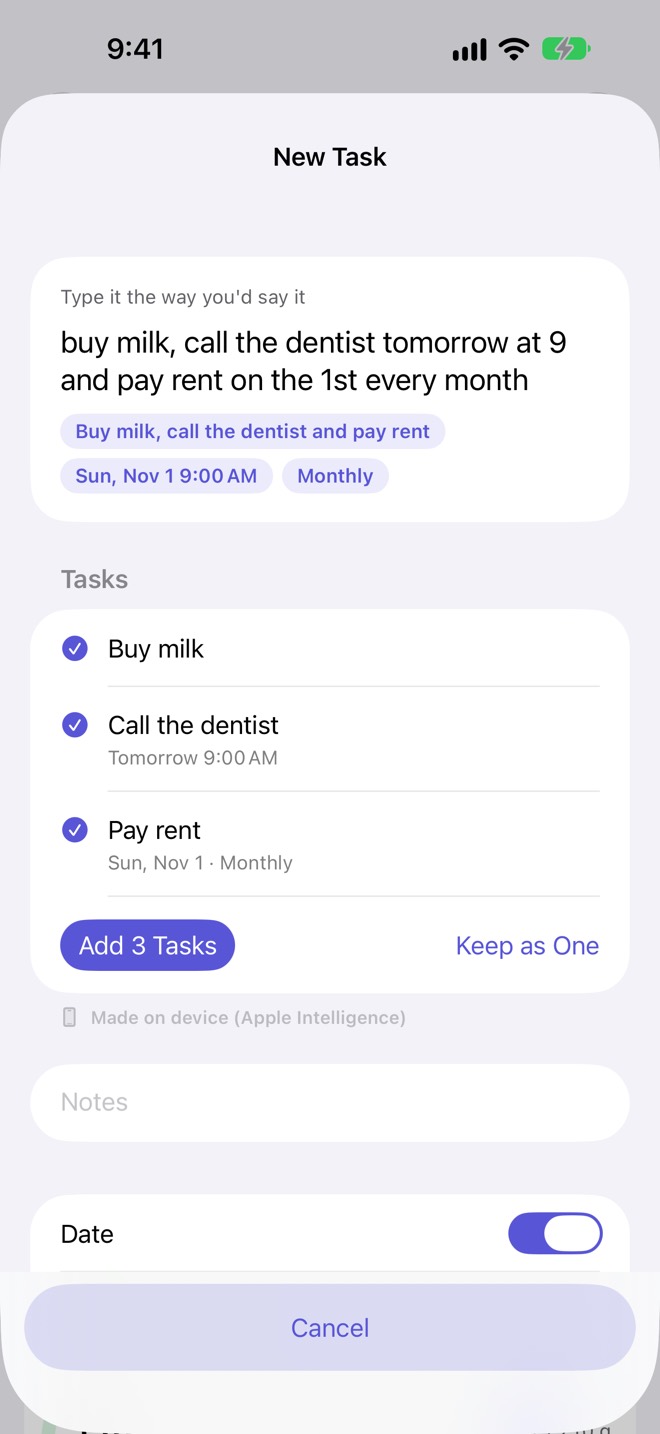
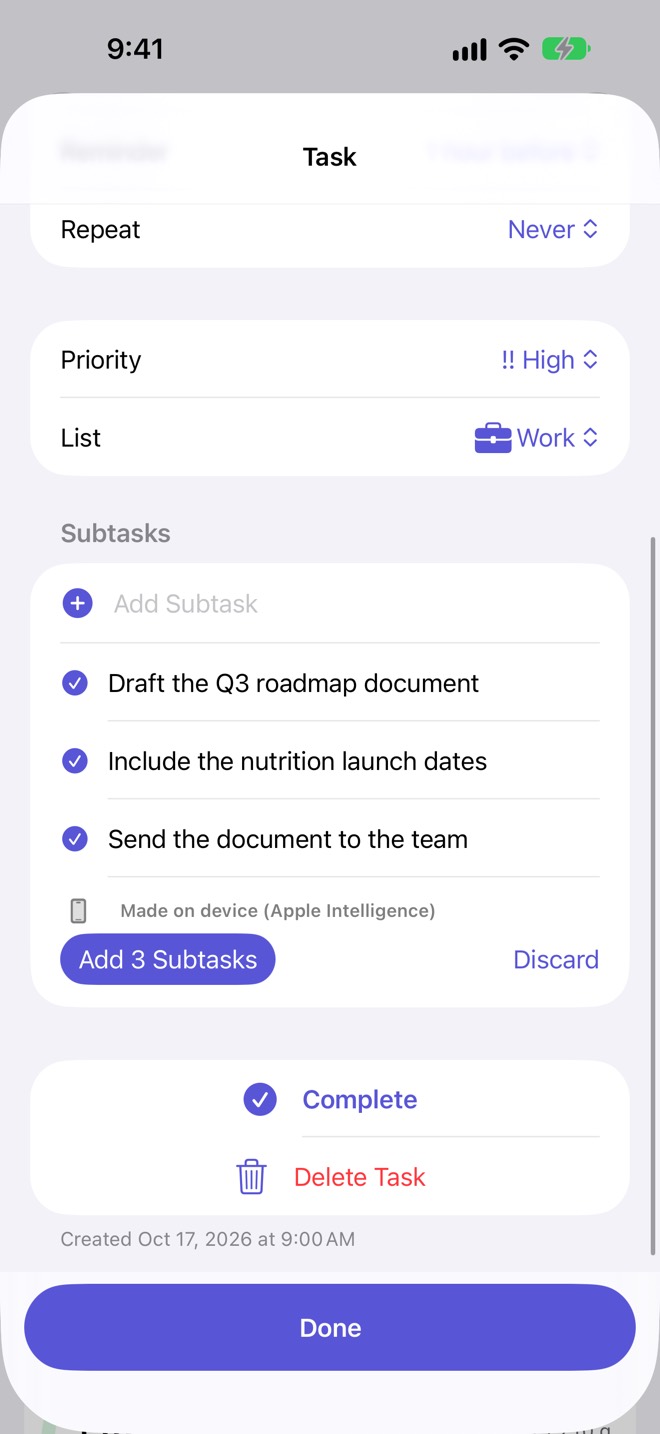
Type "buy milk, call the dentist tomorrow at 9 and pay rent on the 1st every month" and tap Split into Separate Tasks. You get three tasks to review, with "tomorrow at 9" and "the 1st every month" already set by the app's own date parser. On any big task, Break Down with AI suggests two to eight steps; you choose which become subtasks. Nothing is added until you say so.
On your iPhone, on Apple's cloud, or on your own key.
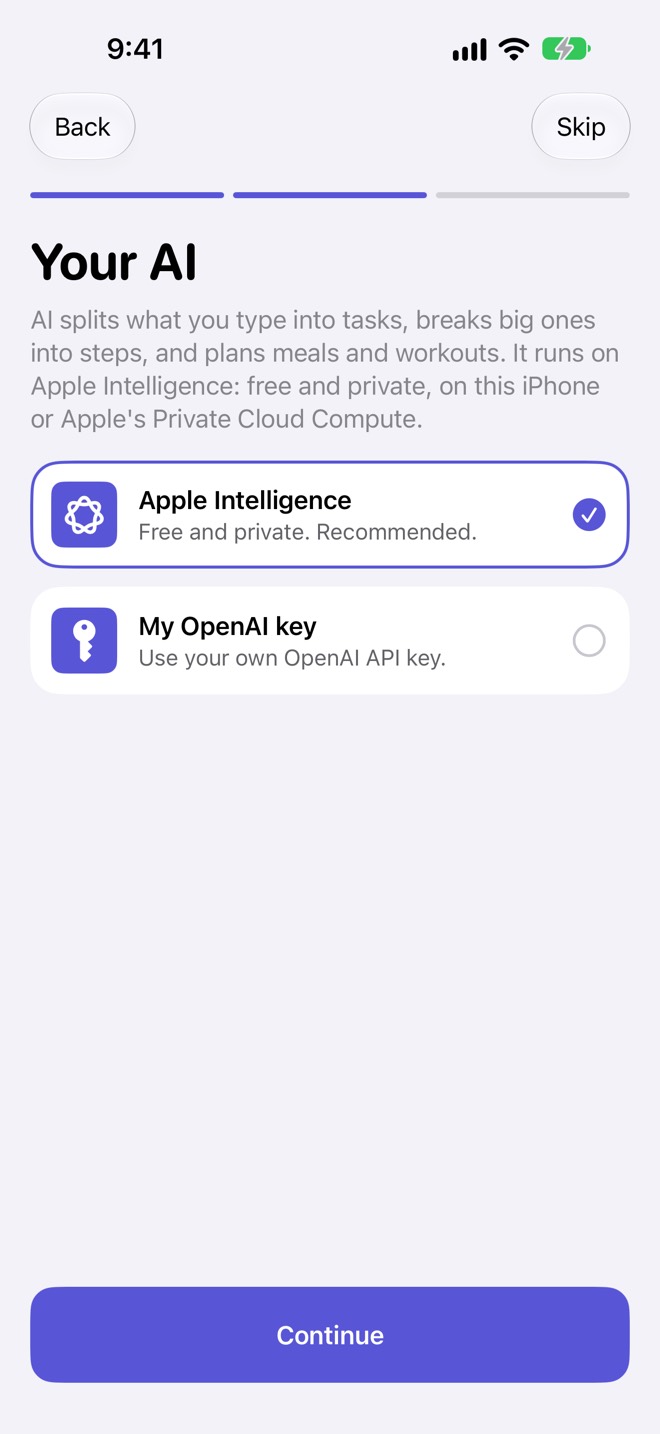
With Apple Intelligence, requests run on your iPhone when they fit; larger ones go to Apple's Private Cloud Compute (iOS 27 or later), which Apple designed so requests aren't stored or accessible to anyone, Apple included. Every result is labeled "Made on device" or "Made with Apple Private Cloud Compute". Prefer OpenAI? Add your own API key and requests go from your device to OpenAI, asking it not to store them. Nothing goes to OpenAI unless you choose it.
Tasks and habits free. Meals and workouts when you want them.
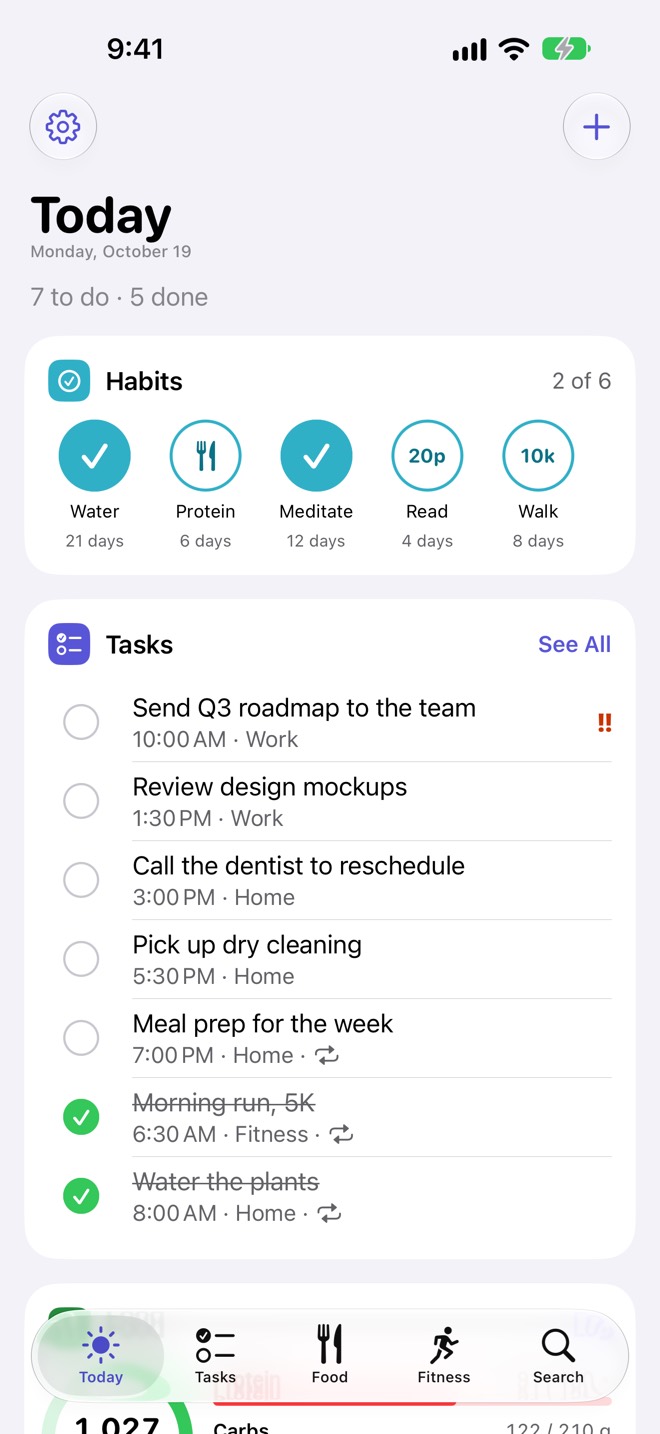
Today shows your habits, what's due, calories left and today's workout on one screen. Repeating tasks, reminders, widgets, iCloud sync between iPhone and iPad, and calendar sync (including wall calendars like Skylight that subscribe to your iCloud Calendar) are free. Add Food & Menu for food logging with barcode and label scanning, weekly meal plans and a grocery list, or Fitness for workout plans and guided workouts with a rest timer on your Lock Screen.
Pricing
| Free | Food & Menu | Fitness | Both | |
|---|---|---|---|---|
| Price (U.S.) | $0 | $1.99 once | $1.99 once | $2.99 once |
| Tasks, lists, reminders, repeating tasks | ✓ | ✓ | ✓ | ✓ |
| Habits and streaks | ✓ | ✓ | ✓ | ✓ |
| Calendar sync, widgets, iCloud sync, search, export | ✓ | ✓ | ✓ | ✓ |
| AI task helpers (Split, Break Down)* | ✓ | ✓ | ✓ | ✓ |
| Food log, barcode and label scanning, Describe a meal | ✓ | ✓ | ||
| Weekly meal plans, grocery list, recipes, pantry, goals | ✓ | ✓ | ||
| Save logged food to Apple Health (write-only) | ✓ | ✓ | ||
| Workout plans, guided workouts, rest timer, Live Activity | ✓ | ✓ | ||
| History, personal records, weekly progress, workout chat | ✓ | ✓ | ||
| Subscription | None | None | None | None |
* AI runs on Apple Intelligence (supported devices) or your own OpenAI key (you pay OpenAI). A meal photo estimate needs your own key. The App Store shows the price in your country. Packs work with Family Sharing. Customers from before 2.0 get both packs free (see below).
Questions
Do I need a subscription?
No. The to-do app is free, and the Food & Menu and Fitness packs are one-time purchases. AI runs on Apple Intelligence at no charge from us, or on your own OpenAI key, which OpenAI bills you for.
I used AI ToDo Plus before 2.0. Do I have to buy the packs?
No. If you installed before 2.0, or ever subscribed to Basic or Premium, both packs are yours at no charge, for good. Check Settings › Food & Fitness Packs; if they don't show as Unlocked, tap Restore Purchases with the Apple Account you used before.
What happens to my Basic or Premium subscription?
2.0 doesn't offer Basic or Premium to new customers. If you're subscribed, AI Todo Plus AI keeps working for as long as you stay subscribed, and both packs are already yours. You don't need the subscription for AI anymore: Apple Intelligence or your own key work without it. Cancel any time in Settings › your name › Subscriptions; the packs stay unlocked. If you used AI Todo Plus AI for free before 2.0, it stays available until January 31, 2027.
Which iPhones support Apple Intelligence?
Apple Intelligence runs on recent iPhone models with the feature turned on, in supported languages and regions. Apple keeps the current list at apple.com/apple-intelligence. Private Cloud Compute requests need iOS 27 or later. On an iPhone without Apple Intelligence, everything except AI works as usual, and you can add your own OpenAI key for the AI features.
Where do my AI requests go?
Only where you choose in Settings › AI. Apple Intelligence: on your iPhone, or Apple's Private Cloud Compute for larger requests. Your OpenAI key: from your device to OpenAI, asking it not to store them; your OpenAI account settings apply. Nothing is sent until you start an AI request. Details are in the Privacy Policy.
Does it work on iPad?
Yes, with iCloud sync between your iPhone and iPad. Apple Intelligence availability on iPad also follows Apple's supported-models list.
Can I share packs with my family?
Yes, with Family Sharing.